Date & Time Columns for Tables
FlowFuse Dashboard's ui-table node now formats timestamps. Set a column's Type to Date & Time and 1754999400000 renders as Aug 12, 2026, 12:10 PM instead of the raw number.
Previously, sending a timestamp to a Dashboard table showed either a long epoch number or a UTC string, so you had to reformat it yourself in a function node or template. The table handles it now. Each cell formats in the viewer's own browser locale and timezone, so a UTC timestamp shows in their local time.
The column accepts whatever you already have: an epoch in seconds or milliseconds, an ISO-8601 string, or a Date.
Dashboard v1.30.3 or later is required. To get started:
- On your
ui-tablenode, turn off Auto Columns and add a column. - Set its Type to Date & Time, Date, or Time.
- Point its Value at the field holding your timestamp.
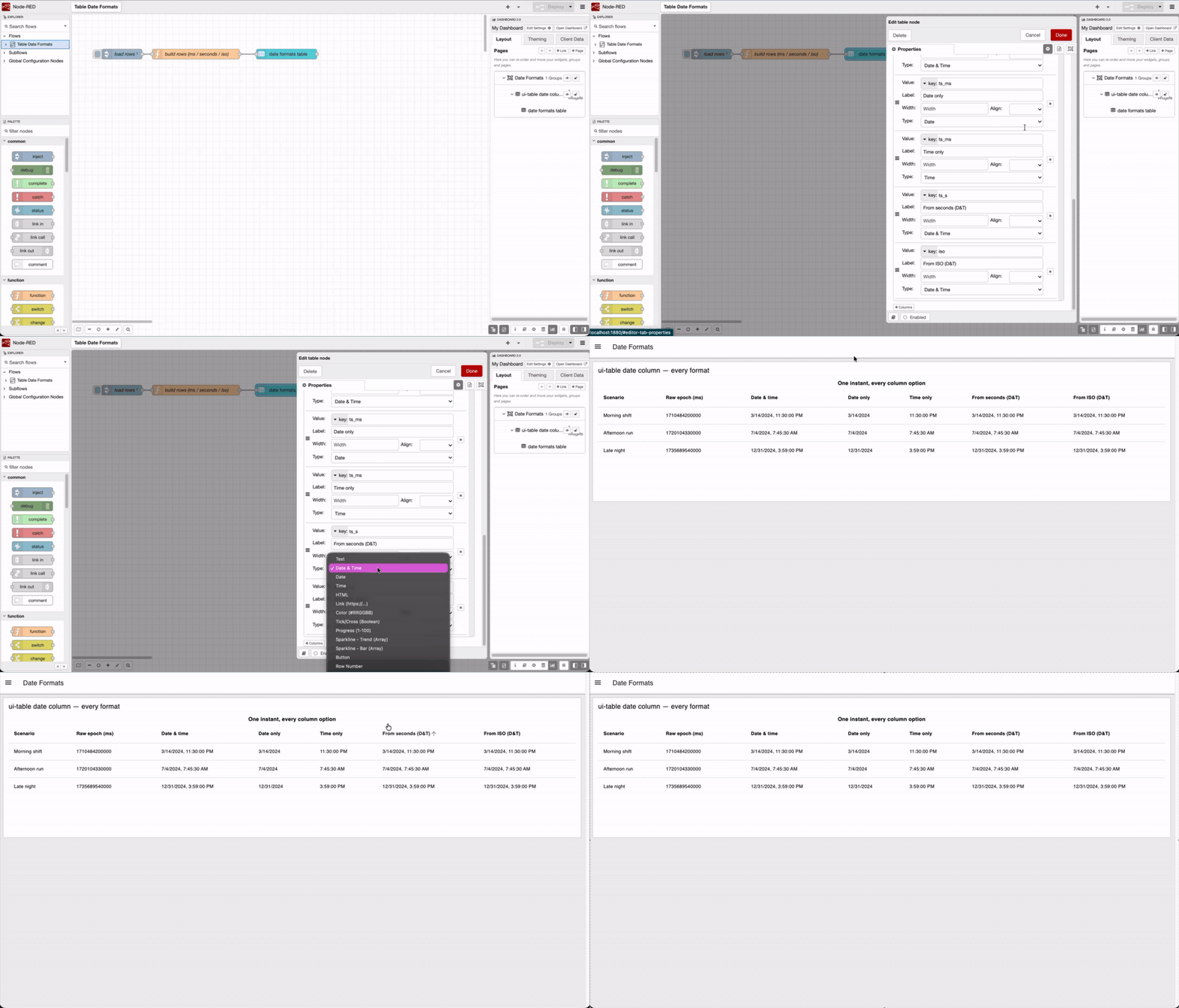 The same epoch value in three columns, with no function node upstream — the table reads the raw timestamp directly.
This feature is available to all FlowFuse Cloud users and Self Hosted users from Dashboard v1.30.3.
Written By:
Published on:
Related GitHub Issues
Recent Updates:
- Getting started with FlowFuse straight from the terminal
- FlowFuse Expert Can Now Work With Your Tables
- A Dedicated Home for Your Dashboards
- Application Roles from SSO Groups
- FlowFuse Expert Enhancements